Ways You can Hide Apps
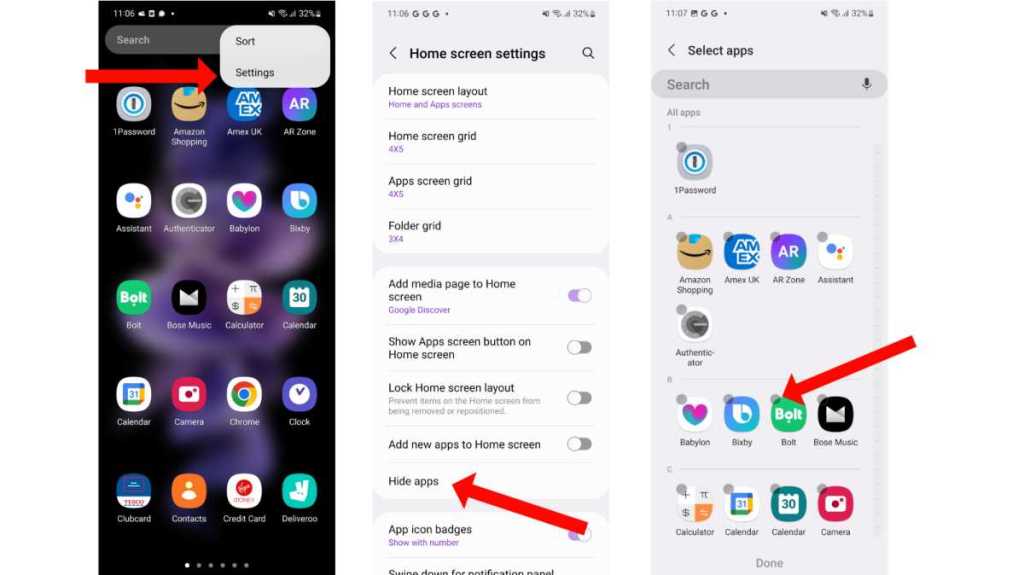
Hide apps in mobile
There are several ways to hide apps on a mobile device, depending on the operating system you are using:
For Android:
- Use a third-party app: There are several apps available on the Google Play Store that allow you to hide apps. Some popular options include App Hider, Nova Launcher, and Apex Launcher.
- Create a hidden folder: You can create a new folder and hide it in the app drawer. To do this, open the app drawer, tap and hold on an app, and drag it to the “New Folder” option. Then, drag any other apps you want to hide into this folder.
- Disable apps: You can disable apps that you don’t want to use, which effectively hides them from the app drawer. To do this, go to Settings > Apps & notifications > See all apps. Find the app you want to disable, tap on it, and select Disable.
Here are links as per You have mobiles phones!
 Technical_Shubh